Traceable findings
Connect every anomaly to its component, inspection task, media and campaign record.
 Request a demo ↗︎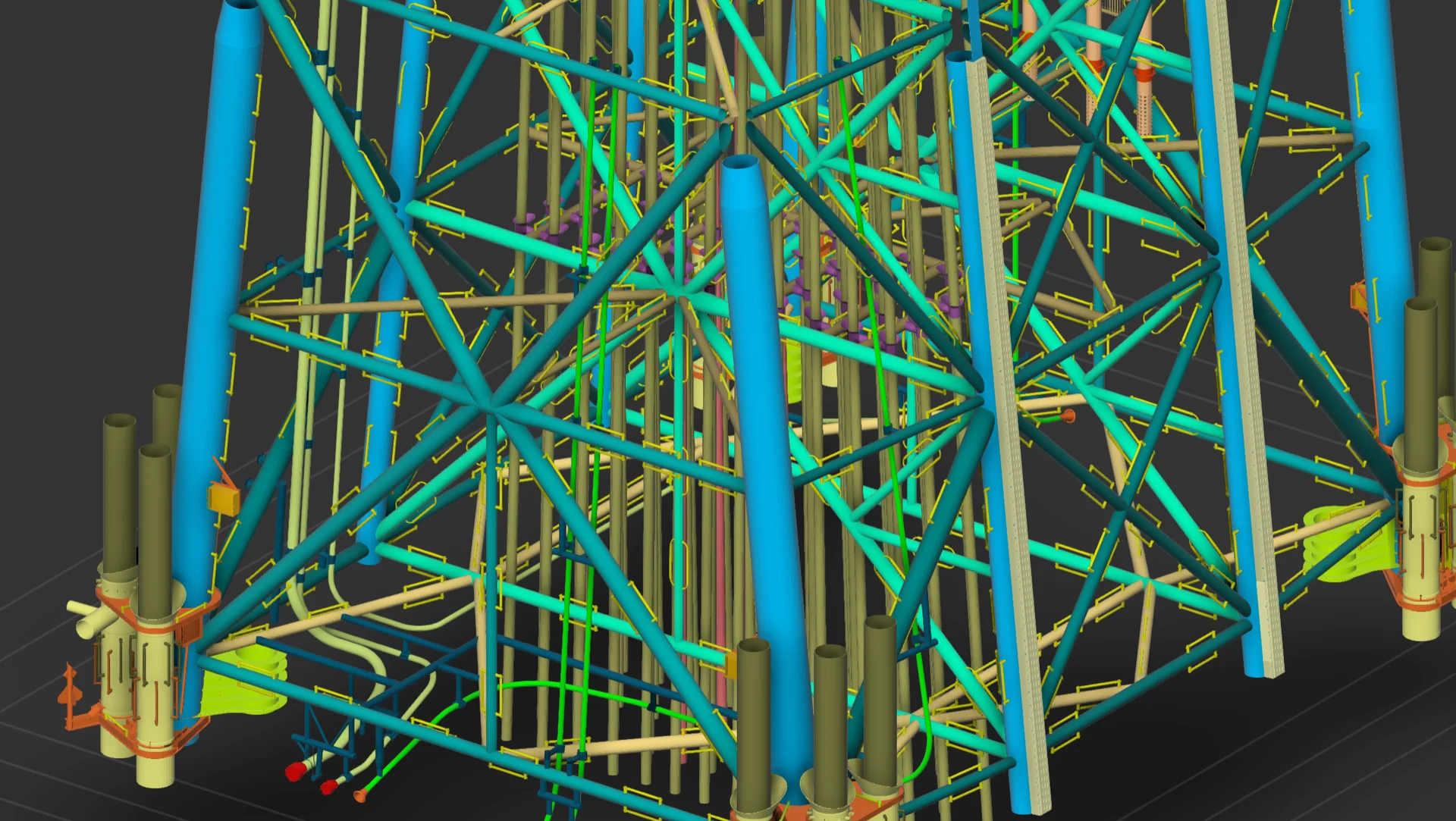
PRODUCT 03 · ASSET INSPECTION SOFTWARE
MARISOFT AISPlan, execute, monitor and report offshore inspection campaigns with one connected suite—without losing the relationship between the asset, the media and the finding.
Explore AIS Suite ↓︎/ 01 — ONE CONNECTED SUITE
AIS brings project data into a central, customizable database that supports work offshore and onshore. Teams can move from preparation to acquisition, review and delivery while keeping the history of every structure accessible.
Its asset-centred workspace connects components, tasks, inspection media, anomalies, actions and documents—so every decision is grounded in traceable information.
/ THE WORKFLOW
Build the asset hierarchy, configure procedures and prepare schedules, workpacks and inspection tasks.
Capture video, images, survey values and ROV or NDT data while tagging events in real time.
Track campaign progress, deliverables and inspection status across assets and workpacks.
Compare findings with historical records, manage anomalies and maintain an auditable record.
Generate consistent, client-ready reports and share processed data through secure viewers.
/ 02 — STRUCTURES MODULE
THE OPERATIONAL CORENavigate a detailed component hierarchy, execute planned tasks and capture anomalies, events, video and inspection values against the correct location. Historical records remain immediately available to support consistent assessment.
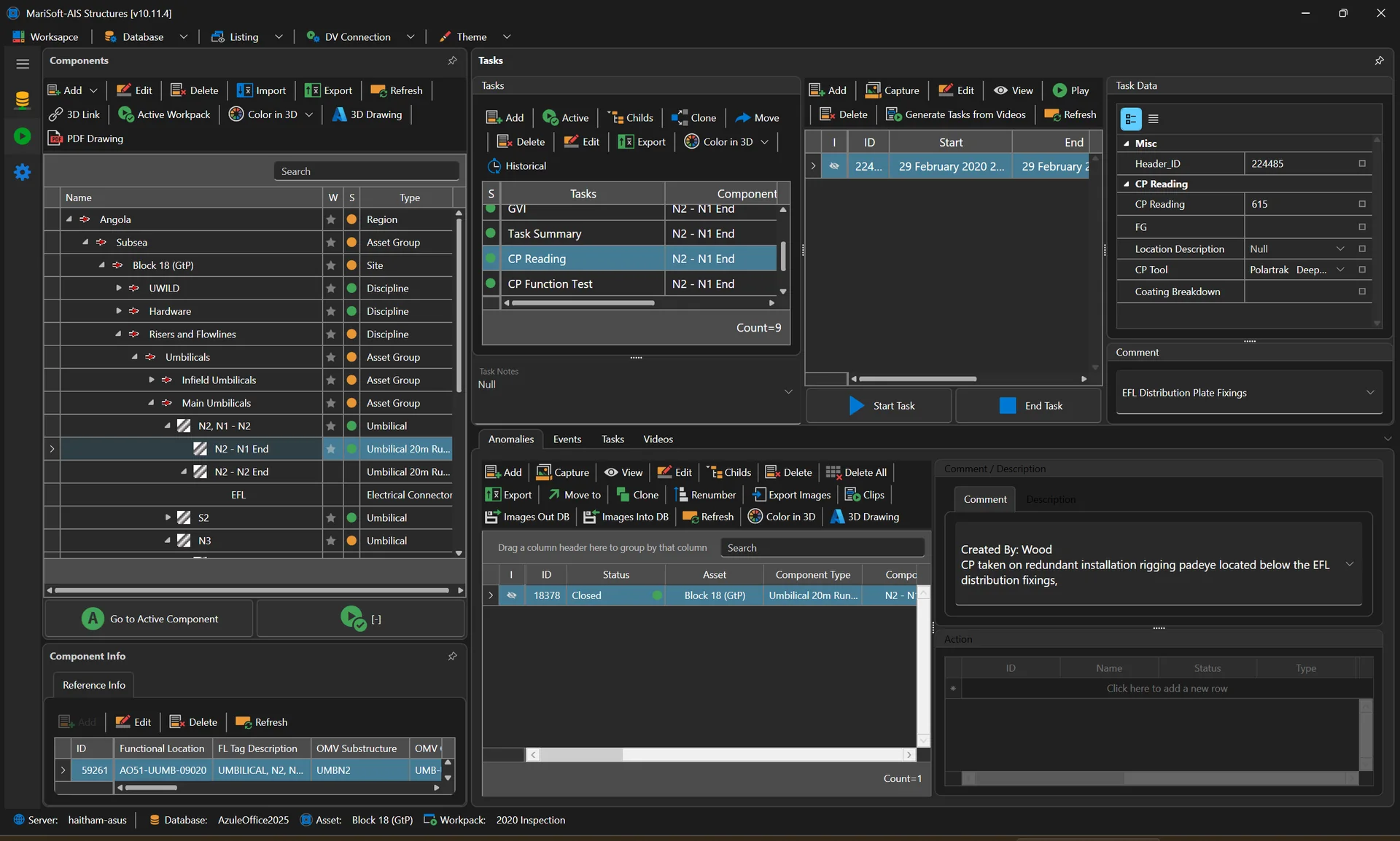
Inspection execution and asset data in one workspace.
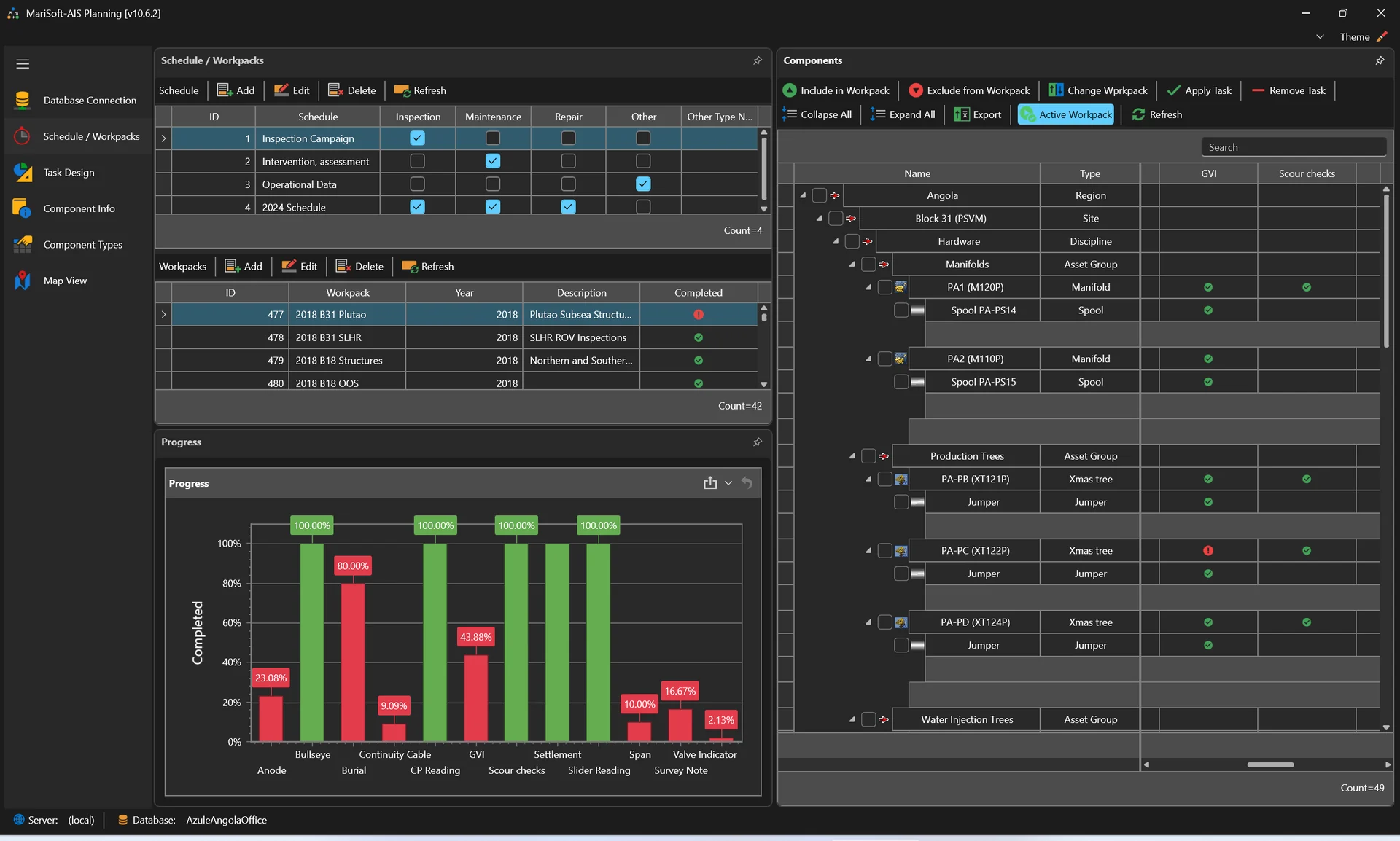
Configure the campaign before mobilization.
/ 03 — PLANNING MODULE
FROM ASSET REGISTER TO WORKPACKCreate assets and component properties using the client’s identification system, import inspection procedures and anomaly coding, then build baseline schedules, workplans and tasks.
/ 04 — MONITORING + DASHBOARDS
Turn the live inspection record into an operational view of campaign progress. Filter across workpacks, track completion and keep deliverables visible to the people managing the program.
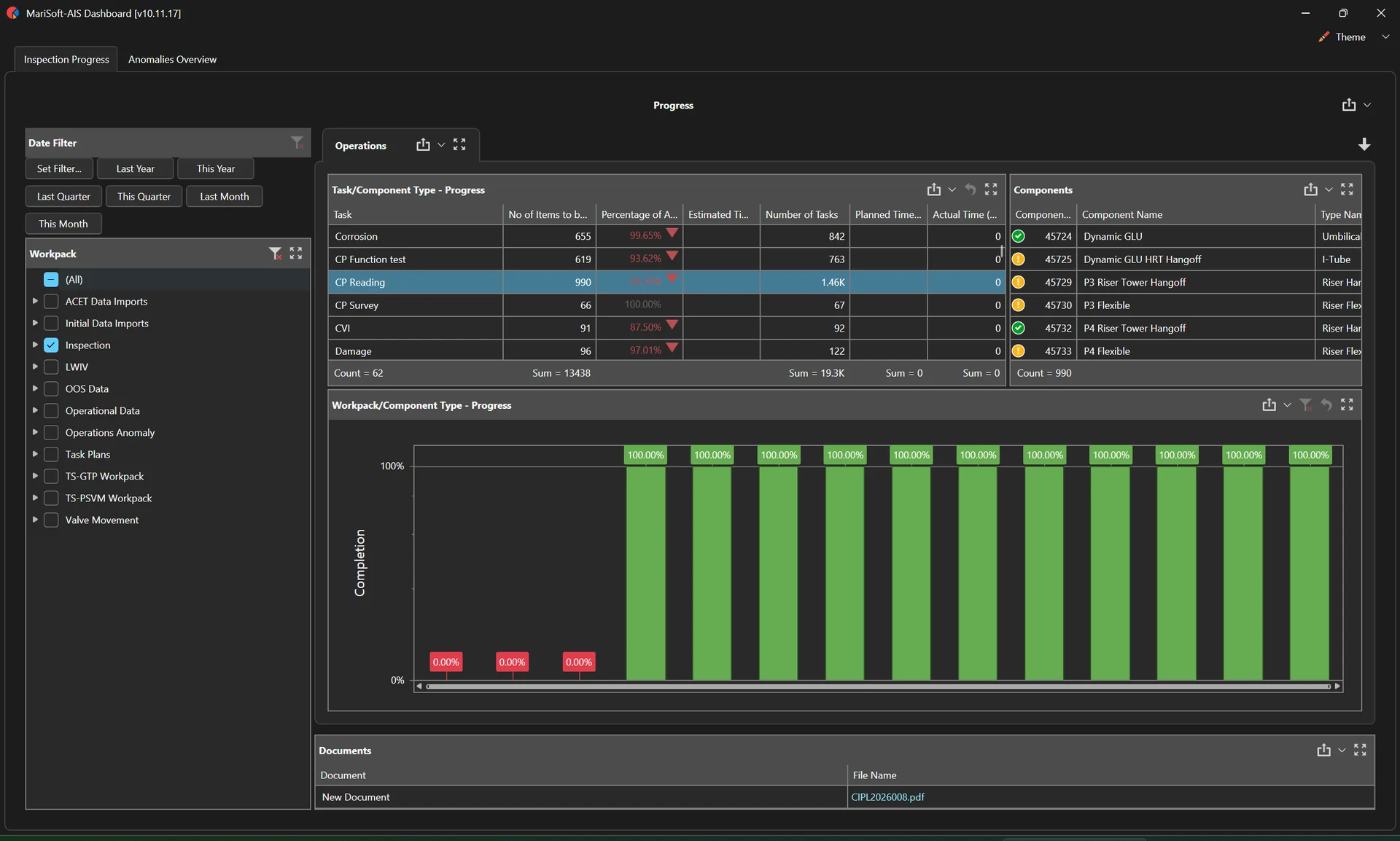
Task, component and workpack completion across the selected inspection scope.
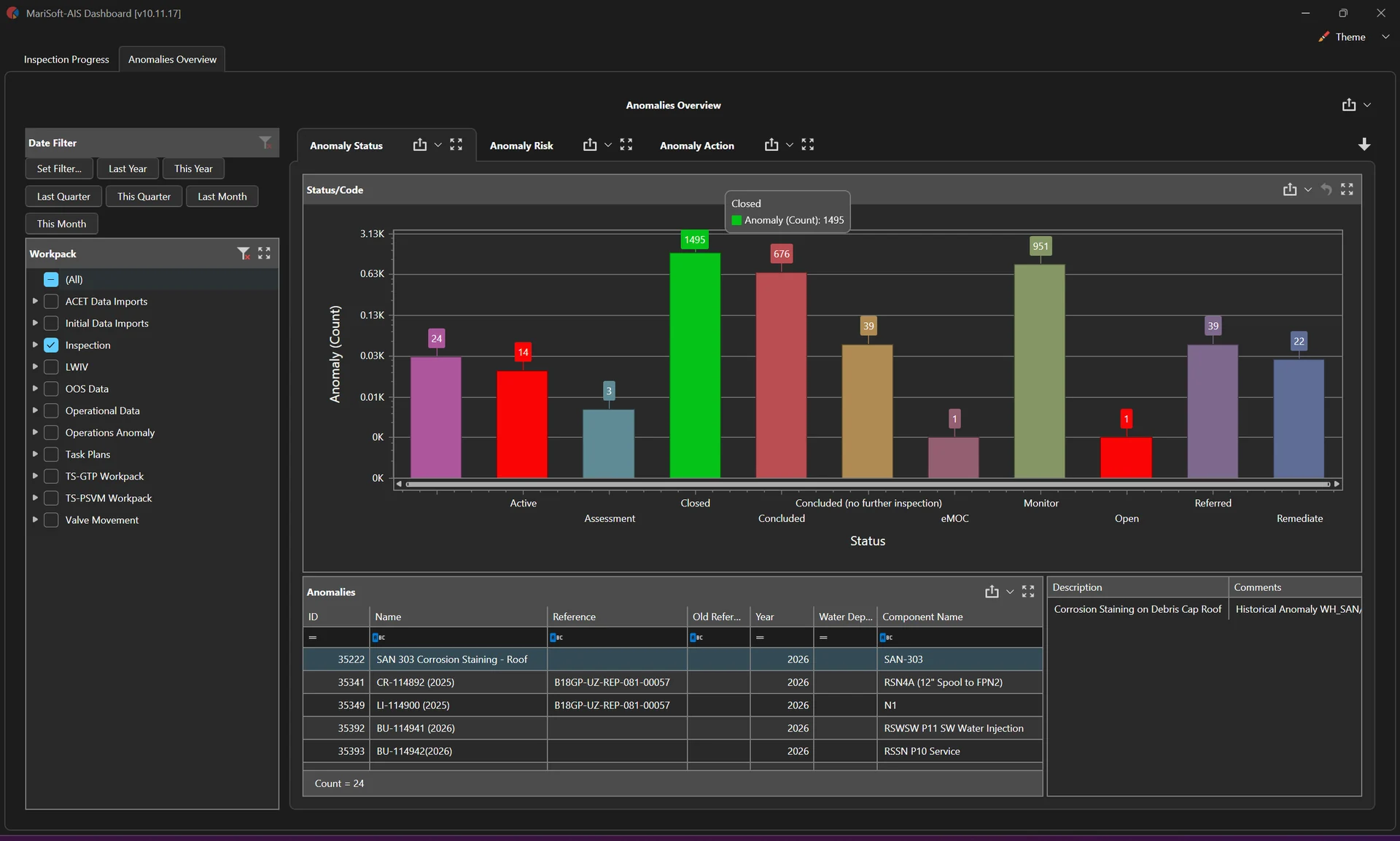
Status, risk and action views for inspection anomalies.
/ 05 — ANOMALY MANAGEMENT
AIS maintains anomaly data integrity and supports year-on-year comparison. Teams can retrieve current and historical media, track remedial actions and assess impact and likelihood to help prioritize the next decision.
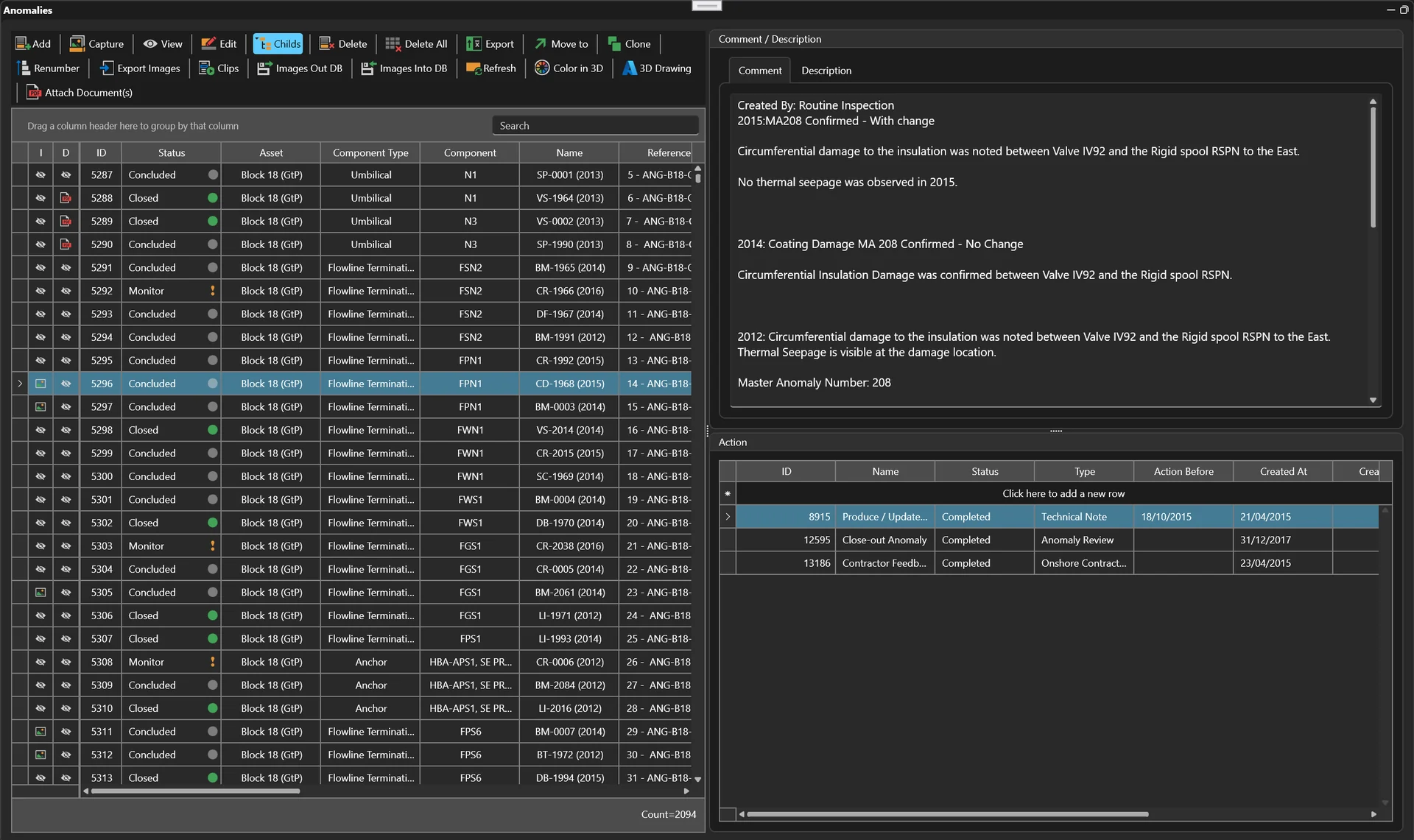
Historical findings, status, comments and actions in one traceable record.
Connect every anomaly to its component, inspection task, media and campaign record.
Compare images and results across inspection years to understand deterioration.
Record assessments, remedial actions and future inspection requirements.
/ 06 — AUTOMATED REPORTING
Design templates around the required deliverable, preview populated reports and export consistent outputs directly from the connected inspection database.
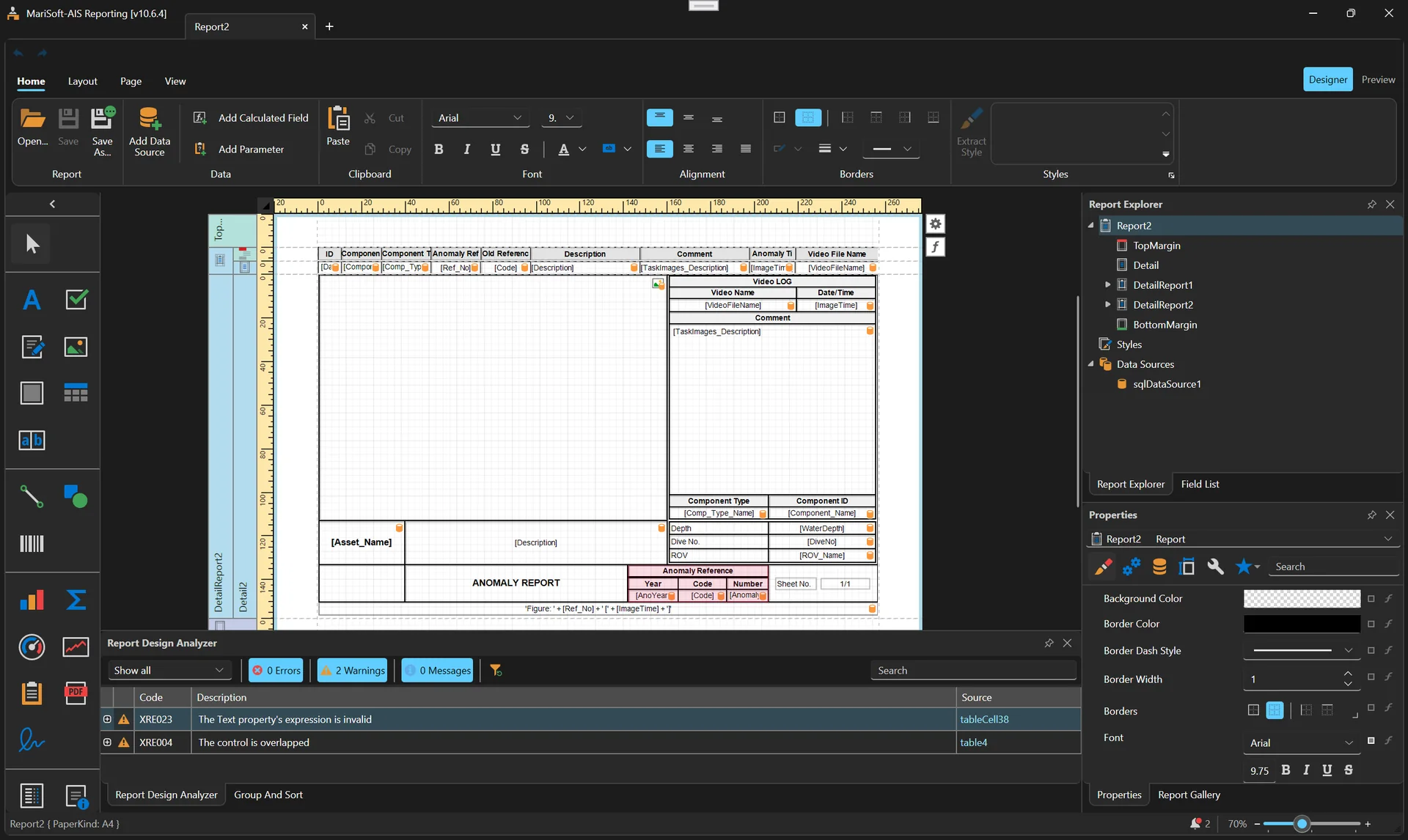
Build configurable report layouts around project data.
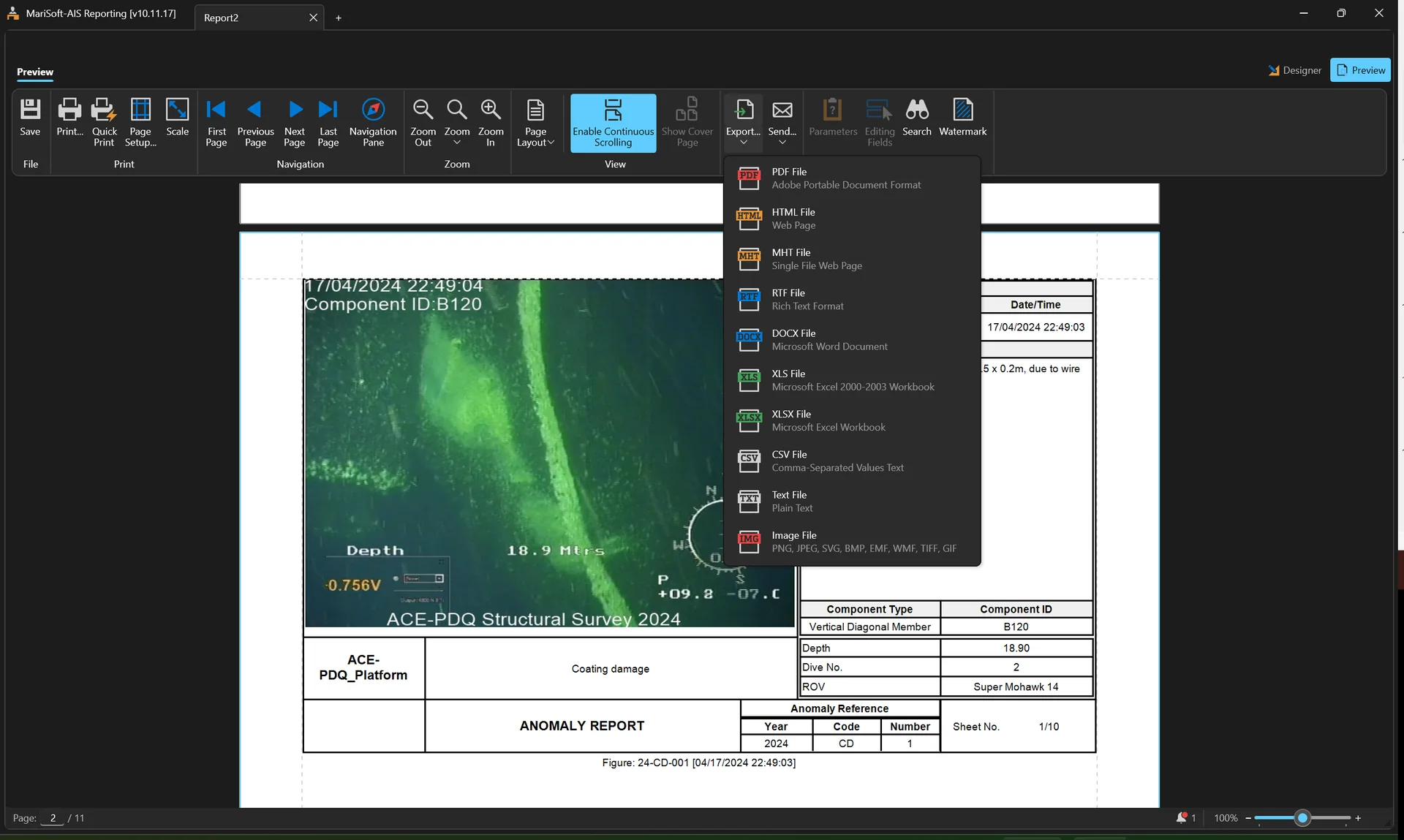
Review the final result and deliver it in the required format.
/ 07 — SECURE REVIEW
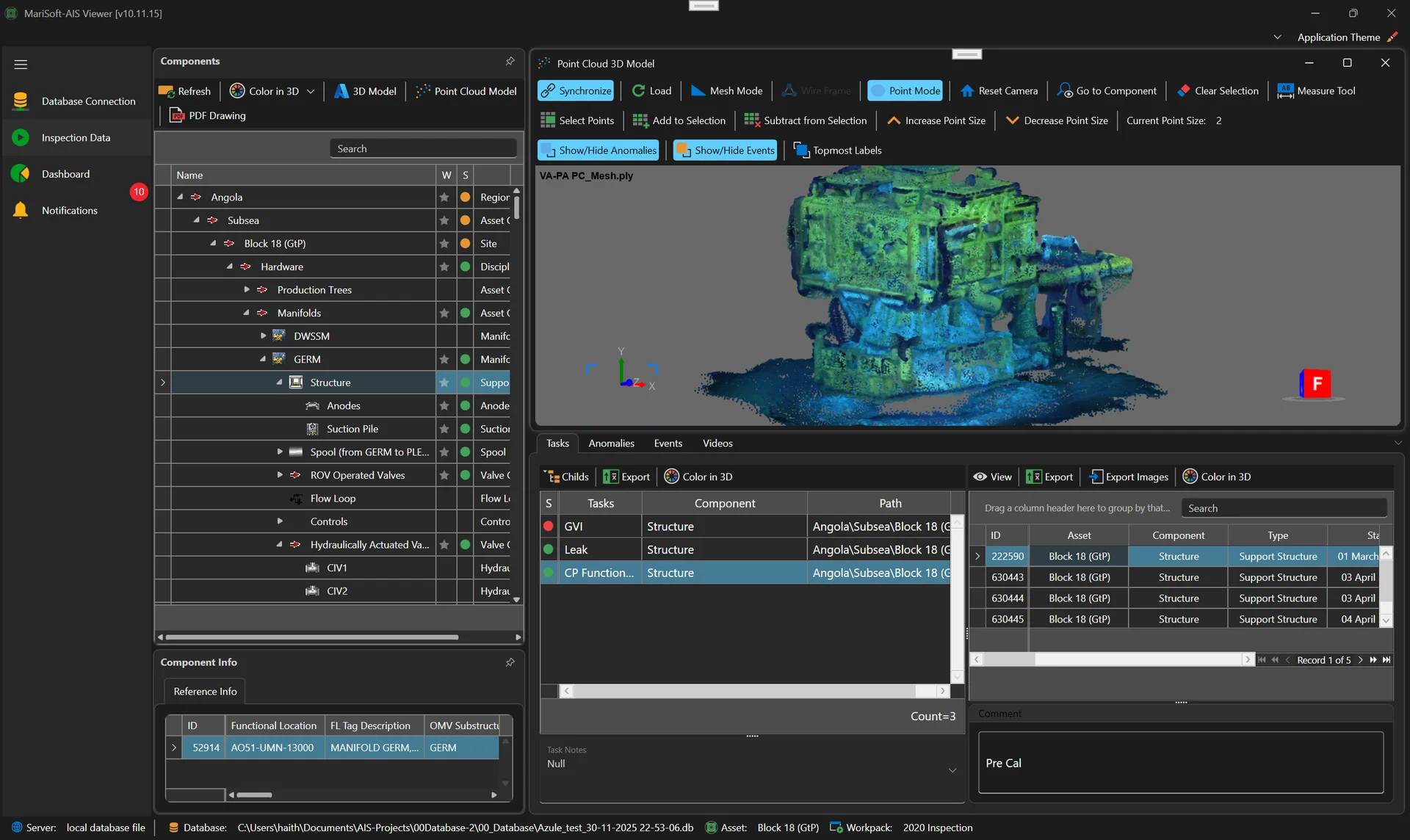
Navigate the asset, inspection results and synchronized media in a Windows viewer, including 3D and point-cloud context.
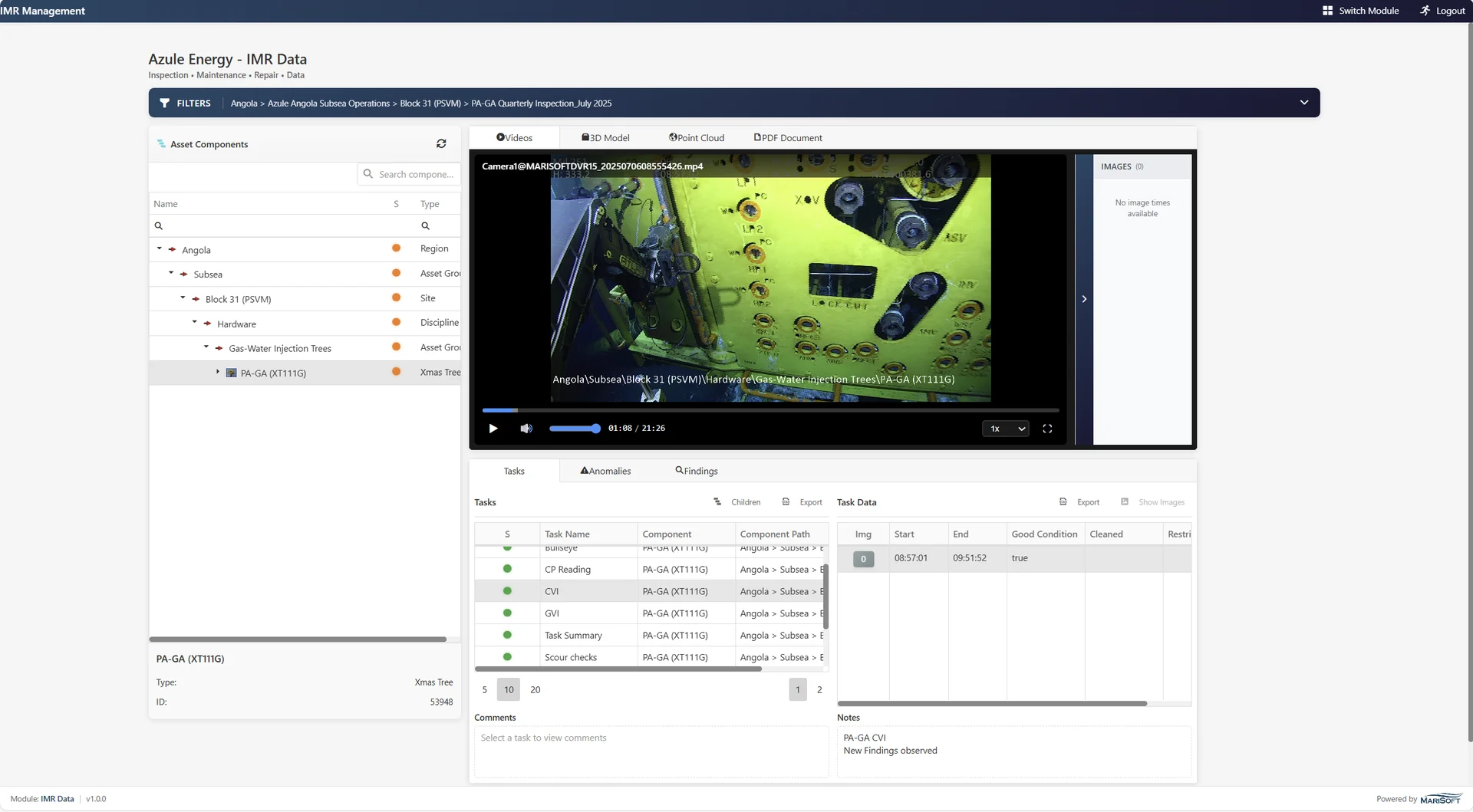
Review videos, tasks, findings, documents and 3D data through an indexed cloud-based project archive.
/ 08 — AIS SUITE CAPABILITIES
Keep field data and the complete inspection history together, with straightforward backup, restore and switching between assets.
Organize complex fields using the client’s identification system, component types and required inspection properties.
Relate video, images, survey values, tasks, events and anomalies to the correct asset component.
Review previous campaigns beside current findings to assess deterioration and support remedial decisions.
Use 3D models and point clouds to understand complex structures and locate inspection information in context.
Convert inspection data, create configurable reports and give authorized teams desktop or cloud access.
/ START A CONVERSATION
Tell us about your asset, inspection scope and reporting requirements. We’ll show you how AIS can fit the workflow.
Request an AIS demo ↗︎info@marisoftoil.com